Apple Watch
Paired with iPhoneInstall the companion through the Watch app on your paired iPhone.
 Mikvah Tracker
Check your daily highlights, vestos, and calendar on Apple Watch or Wear OS. Log dates and manage settings on your phone.
Find your phone and watch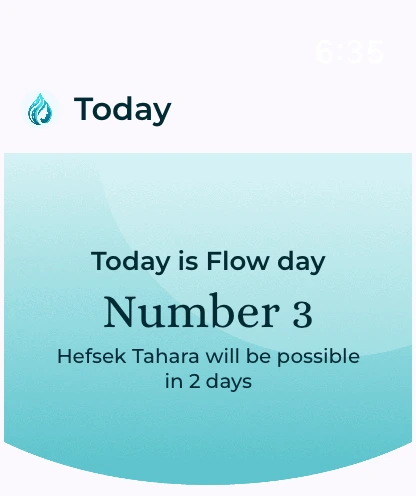
Apple Watch screens · demo data.
Choose the companion that belongs with your phone.
Install the companion through the Watch app on your paired iPhone.
Install the Wear OS companion from Google Play on a compatible watch paired with your Android phone.
Requires the current Mikvah Tracker phone app and a compatible paired watch. Check the relevant store listing for supported devices and software versions.
View your dates inside the watch app, or add a widget or watch-face shortcut in your watch’s settings.
The Apple Watch companion pairs with the iPhone app. The Wear OS companion pairs with the Android app. Wear OS syncing requires a compatible Android phone and Google Play services.
The watch companion is for viewing. Enter your flow, record a hefsek taharah, and change your settings in the phone app. Your watch brings that information into a smaller, convenient view.
The companion receives its calendar and daily information from the paired phone app. It is not a standalone calendar. When fresh information is needed, you may be asked to open the phone app.
Yes. The companion follows the language selected in your phone app, with support for English and Hebrew.